TigktingSpec score 7.7
USB switch, 2 Computers
+USB 3.0 support with 5Gbps transfer speed
+Bi-directional design works in either direction
+Two-port design shares devices between two computers
−Shares USB devices only, without video switching
$9.99
as of 11/04/2026 05:10 PST - DetailsProduct details
Spec score7.7
Pros+USB 3.0 support with 5Gbps transfer speed
+Bi-directional design works in either direction
+Two-port design shares devices between two computers
Cons−Shares USB devices only, without video switching
How pros and cons are picked (About: Disclaimer) About this product
PubiohsSpec score 7.7
USB switch, 2 Computers
+USB 3.0 support for faster peripheral data transfer
+Shares four USB-A and three USB-C devices
+Seven total ports for connecting peripherals
−Shares USB devices only, without video switching
$39.99
as of 11/04/2026 05:11 PST - DetailsProduct details
Spec score7.7
Pros+USB 3.0 support for faster peripheral data transfer
+Shares four USB-A and three USB-C devices
+Seven total ports for connecting peripherals
Cons−Shares USB devices only, without video switching
How pros and cons are picked (About: Disclaimer) About this product
MleedaSpec score 7.7
USB switch, 2 Computers
+USB 3.0 support for faster peripheral data transfer
+Bi-directional design works in either direction
+Two-port design shares devices between two computers
−Shares USB devices only, without video switching
$9.99
as of 11/04/2026 05:10 PST - DetailsProduct details
Spec score7.7
Pros+USB 3.0 support for faster peripheral data transfer
+Bi-directional design works in either direction
+Two-port design shares devices between two computers
Cons−Shares USB devices only, without video switching
How pros and cons are picked (About: Disclaimer) About this product
MovcleSpec score 7.7
USB switch, 2 Computers
+USB 3.0 support for faster peripheral data transfer
+Bi-directional design works in either direction
+Includes two USB 3.0 cables
−Shares USB devices only, without video switching
$13.98
as of 11/04/2026 05:10 PST - DetailsProduct details
About this product
Kopinma
USB switch
+Supports USB 3.0 for faster peripheral data transfer
+Switches between 1x2 and 2x1 setups
+Works with keyboard, mouse, printer and laptop computer
−Works as a USB switch, not a full video KVM
$9.07
as of 11/04/2026 05:10 PST - DetailsProduct details
Pros+Supports USB 3.0 for faster peripheral data transfer
+Switches between 1x2 and 2x1 setups
+Works with keyboard, mouse, printer and laptop computer
Cons−Works as a USB switch, not a full video KVM
How pros and cons are picked (About: Disclaimer) About this product
v AV AccessSpec score 8.5
KVM switch, 2 Computers, 2 Monitors, 4K
+Supports 4K resolution for two monitors
+Power delivery support for charging laptops
+USB 3.0 ports for faster peripheral transfer
−Refresh rate limited to 60Hz
No price recorded yet.
Product details
Spec score8.5
Pros+Supports 4K resolution for two monitors
+Power delivery support for charging laptops
+USB 3.0 ports for faster peripheral transfer
+EDID support for display detection
Cons−Refresh rate limited to 60Hz
Compared with the 213 KVM Switches on this page+USB-C charging: only 30 of 213 here have one
+2 monitors: only 22 of 135 here have more monitors
+EDID emulation: only 67 of 213 here have one
How pros and cons are picked (About: Disclaimer) About this product
CamgeetSpec score 8.3
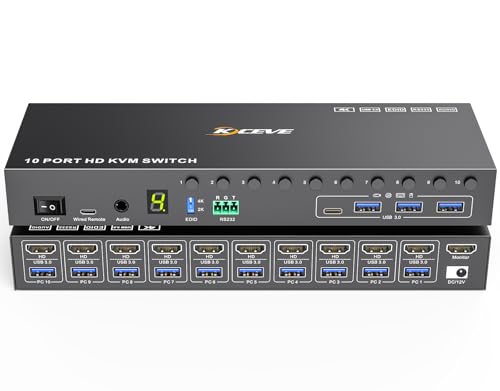
KVM switch, 10 Computers, 1 Monitors, HDMI
+Supports 10 computers from one keyboard, mouse and monitor
+4K resolution at 60Hz for sharp display output
+EDID simulation keeps display settings consistent when switching
−Only one monitor supported, no multi-screen setup
No price recorded yet.
Product details
Spec score8.3
Pros+Supports 10 computers from one keyboard, mouse and monitor
+4K resolution at 60Hz for sharp display output
+EDID simulation keeps display settings consistent when switching
+USB 3.0 support for faster peripheral connections
+Single monitor setup shared across all connected computers
Cons−Only one monitor supported, no multi-screen setup
Compared with the 213 KVM Switches on this page+10 computers: only 5 of 189 here have more computers
+EDID emulation: only 67 of 213 here have one
−1 monitors: 84 of the 135 here have more monitors
How pros and cons are picked (About: Disclaimer) About this product
MleedaSpec score 8.3
KVM switch, 10 Computers, 1 Monitors, HDMI
+Supports 10 computers from one keyboard, mouse and monitor
+4K resolution at 60Hz for sharp display output
+EDID simulation keeps display settings consistent when switching
−Only one monitor supported, no multi-screen setup
No price recorded yet.
Product details
Spec score8.3
Pros+Supports 10 computers from one keyboard, mouse and monitor
+4K resolution at 60Hz for sharp display output
+EDID simulation keeps display settings consistent when switching
+USB 3.0 support for faster peripheral connections
+Single monitor setup shared across all connected computers
Cons−Only one monitor supported, no multi-screen setup
Compared with the 213 KVM Switches on this page+10 computers: only 5 of 189 here have more computers
+EDID emulation: only 67 of 213 here have one
−1 monitors: 84 of the 135 here have more monitors
How pros and cons are picked (About: Disclaimer) About this product
KceveSpec score 8.3
KVM switch, 4 Computers, 4 Monitors, HDMI and DisplayPort
+Supports 4 monitors for a quad-screen setup
+Switches between 4 computers
+Up to 8K resolution output
−Listed 8K output runs at 30Hz
−Listed 144Hz applies only at 4K
No price recorded yet.
Product details
Spec score8.3
Pros+Supports 4 monitors for a quad-screen setup
+Switches between 4 computers
+Up to 8K resolution output
+Up to 144Hz refresh rate at 4K
+Includes both HDMI and DisplayPort video inputs
Cons−Listed 8K output runs at 30Hz
−Listed 144Hz applies only at 4K
Compared with the 213 KVM Switches on this page+4 monitors: the most monitors of the 135 here
+8K: the highest resolution of the 157 here
+4 computers: only 12 of 189 here have more computers
+144Hz refresh rate: only 13 of 151 here have a higher refresh rate
How pros and cons are picked (About: Disclaimer) About this product
TigktingSpec score 8.2
KVM switch, 3 Computers, 2 Monitors, HDMI
+4K resolution for sharp display output
+Supports two monitors across three computers
+EDID emulation keeps displays detected reliably
−Refresh rate limited to 60Hz
No price recorded yet.
Product details
Spec score8.2
Pros+4K resolution for sharp display output
+Supports two monitors across three computers
+EDID emulation keeps displays detected reliably
+USB 3.0 ports for faster peripheral transfers
Cons−Refresh rate limited to 60Hz
Compared with the 213 KVM Switches on this page+2 monitors: only 22 of 135 here have more monitors
+3 computers: 134 of the 189 here have fewer computers
+EDID emulation: only 67 of 213 here have one
How pros and cons are picked (About: Disclaimer) About this product
HearvoSpec score 8.2
KVM switch, 2 Computers, 2 Monitors, HDMI
+Supports two monitors
+Supports 4K resolution
+Switches two computers
−Limited to 60Hz refresh rate
No price recorded yet.
Product details
Spec score8.2
Pros+Supports two monitors
+Supports 4K resolution
+Switches two computers
+Includes USB 3.0 ports
+Includes EDID support
Cons−Limited to 60Hz refresh rate
Compared with the 213 KVM Switches on this page+2 monitors: only 22 of 135 here have more monitors
+EDID emulation: only 67 of 213 here have one
How pros and cons are picked (About: Disclaimer) About this product
ReyotenSpec score 8.2
KVM switch, 2 Computers, 2 Monitors, USB-C
+Supports 4K resolution for two monitors
+Power delivery support for charging laptops
+USB 3.0 ports for faster peripheral transfer
−Refresh rate limited to 60Hz
No price recorded yet.
Product details
Spec score8.2
Pros+Supports 4K resolution for two monitors
+Power delivery support for charging laptops
+USB 3.0 ports for faster peripheral transfer
+USB-C video input for laptop connections
Cons−Refresh rate limited to 60Hz
Compared with the 213 KVM Switches on this page+USB-C charging: only 30 of 213 here have one
+2 monitors: only 22 of 135 here have more monitors
How pros and cons are picked (About: Disclaimer) About this product
OuluoaSpec score 8.2
USB switch, 2 Computers, 4K, 60Hz
+Shares USB 3.0 devices between two PCs
+Supports 4K output at 60Hz
+Includes EDID support for display detection
−Does not switch video between computers
No price recorded yet.
Product details
Spec score8.2
Pros+Shares USB 3.0 devices between two PCs
+Supports 4K output at 60Hz
+Includes EDID support for display detection
+Shares printers, scanners and flash drives
Cons−Does not switch video between computers
Compared with the 213 KVM Switches on this page+EDID emulation: only 67 of 213 here have one
How pros and cons are picked (About: Disclaimer) About this product
MleedaSpec score 8.1
KVM switch, 2 Computers, 2 Monitors, HDMI and DisplayPort
+Supports two monitors from two computers
+Supports 8K at 60Hz and 4K at 144Hz
+Includes four USB 3.0 ports for peripherals
−Only two computers supported
No price recorded yet.
Product details
Spec score8.1
Pros+Supports two monitors from two computers
+Supports 8K at 60Hz and 4K at 144Hz
+Includes four USB 3.0 ports for peripherals
+Accepts both HDMI and DisplayPort video
Cons−Only two computers supported
Compared with the 213 KVM Switches on this page+8K: the highest resolution of the 157 here
+144Hz refresh rate: only 13 of 151 here have a higher refresh rate
+2 monitors: only 22 of 135 here have more monitors
How pros and cons are picked (About: Disclaimer) About this product
SteetekSpec score 8.1
KVM switch, 4 Computers, 1 Monitors, HDMI
+Switches four computers to one monitor
+Provides USB 3.0 ports for peripherals
+Includes EDID support for display detection
−Supports only one monitor
No price recorded yet.
Product details
Spec score8.1
Pros+Switches four computers to one monitor
+Provides USB 3.0 ports for peripherals
+Includes EDID support for display detection
+Supports 4K output at 60Hz
Cons−Supports only one monitor
Compared with the 213 KVM Switches on this page+4 computers: only 12 of 189 here have more computers
+EDID emulation: only 67 of 213 here have one
−1 monitors: 84 of the 135 here have more monitors
How pros and cons are picked (About: Disclaimer) About this product
TigktingSpec score 8.1
KVM switch, 4 Computers, 1 Monitors, HDMI
+4K at 60Hz video output over HDMI
+Four ports to switch between four computers
+Supports one monitor shared across four computers
−Shares a single monitor rather than giving each computer its own display
No price recorded yet.
Product details
Spec score8.1
Pros+4K at 60Hz video output over HDMI
+Four ports to switch between four computers
+Supports one monitor shared across four computers
+USB 3.0 ports for faster peripheral transfer
+EDID support keeps monitor settings across switching
Cons−Shares a single monitor rather than giving each computer its own display
Compared with the 213 KVM Switches on this page+4 computers: only 12 of 189 here have more computers
+EDID emulation: only 67 of 213 here have one
−1 monitors: 84 of the 135 here have more monitors
How pros and cons are picked (About: Disclaimer) About this product
HxwloSpec score 8.0
KVM switch, 2 Computers, 2 Monitors, HDMI and DisplayPort
+Supports two monitors across two computers
+Includes USB 3.0 ports for shared peripherals
+Offers both HDMI and DisplayPort video inputs
−Refresh rate limited to 60Hz
No price recorded yet.
Product details
Spec score8.0
Pros+Supports two monitors across two computers
+Includes USB 3.0 ports for shared peripherals
+Offers both HDMI and DisplayPort video inputs
Cons−Refresh rate limited to 60Hz
Compared with the 213 KVM Switches on this page+8K: the highest resolution of the 157 here
+2 monitors: only 22 of 135 here have more monitors
How pros and cons are picked (About: Disclaimer) About this product
SuceemSpec score 8.0
KVM switch, 2 Computers, 1 Monitors, HDMI
+Supports 8K output at 60Hz
+Supports 4K output at 120Hz
+Provides USB 3.0 ports for peripherals
−Supports only one monitor
No price recorded yet.
Product details
Spec score8.0
Pros+Supports 8K output at 60Hz
+Supports 4K output at 120Hz
+Provides USB 3.0 ports for peripherals
+Uses HDMI video connection
Cons−Supports only one monitor
Compared with the 213 KVM Switches on this page+8K: the highest resolution of the 157 here
+120Hz refresh rate: 97 of the 151 here have a lower refresh rate
−1 monitors: 84 of the 135 here have more monitors
How pros and cons are picked (About: Disclaimer) About this product
TjcxeleSpec score 7.9
KVM switch, 2 Computers, 3 Monitors, HDMI
+4K resolution for sharp display output
+Supports three monitors across two computers
+Four USB 3.0 ports for shared peripherals
−Refresh rate limited to 60Hz
No price recorded yet.
Product details
Spec score7.9
Pros+4K resolution for sharp display output
+Supports three monitors across two computers
+Four USB 3.0 ports for shared peripherals
Cons−Refresh rate limited to 60Hz
Compared with the 213 KVM Switches on this page+3 monitors: only 2 of 135 here have more monitors
How pros and cons are picked (About: Disclaimer) About this product
QoreswtSpec score 7.9
KVM switch, 2 Computers, 3 Monitors, HDMI and DisplayPort
+Supports 3 monitors for a triple-screen setup
+Switches between 2 computers
+Includes both HDMI and DisplayPort video inputs
−Refresh rate is limited to 60Hz
−Maximum resolution is 4K
No price recorded yet.
Product details
Spec score7.9
Pros+Supports 3 monitors for a triple-screen setup
+Switches between 2 computers
+Includes both HDMI and DisplayPort video inputs
+Includes audio support
+USB 3.0 ports for fast peripheral transfer
Cons−Refresh rate is limited to 60Hz
−Maximum resolution is 4K
Compared with the 213 KVM Switches on this page+3 monitors: only 2 of 135 here have more monitors
How pros and cons are picked (About: Disclaimer) About this product
BxrsrtzSpec score 7.8
USB switch, 4 Computers
+Shares keyboard and mouse across four computers
+Four USB ports for connected peripherals
+Uses USB 3.2 connections for faster transfers
−Shares USB peripherals only, without video switching
No price recorded yet.
Product details
Spec score7.8
Pros+Shares keyboard and mouse across four computers
+Four USB ports for connected peripherals
+Uses USB 3.2 connections for faster transfers
Cons−Shares USB peripherals only, without video switching
Compared with the 213 KVM Switches on this page+4 computers: only 12 of 189 here have more computers
How pros and cons are picked (About: Disclaimer) About this product
HxwloSpec score 7.8
KVM switch, 2 Computers, 2 Monitors, HDMI and DisplayPort
+Shares two monitors between two computers
+Supports 4K resolution over HDMI and DisplayPort
+Includes USB 3.0 ports for peripherals
−Two-port model for only two computers
No price recorded yet.
Product details
Spec score7.8
Pros+Shares two monitors between two computers
+Supports 4K resolution over HDMI and DisplayPort
+Includes USB 3.0 ports for peripherals
Cons−Two-port model for only two computers
Compared with the 213 KVM Switches on this page+2 monitors: only 22 of 135 here have more monitors
How pros and cons are picked (About: Disclaimer) About this product
TigktingSpec score 7.8
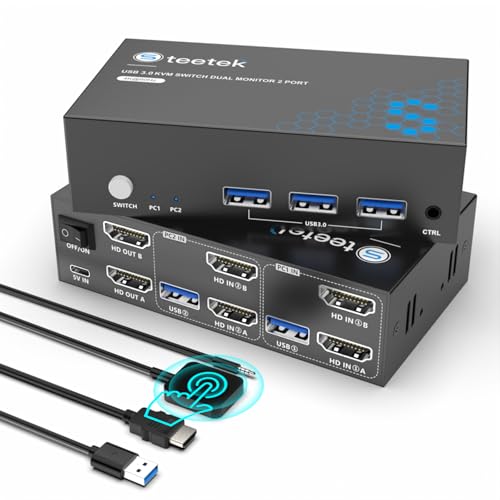
KVM switch, 2 Computers, 2 Monitors, HDMI
+Supports 4K at 60Hz video output
+Drives two monitors from two computers
+Includes USB 3.0 ports for peripherals
−Requires HDMI video connections
No price recorded yet.
Product details
Spec score7.8
Pros+Supports 4K at 60Hz video output
+Drives two monitors from two computers
+Includes USB 3.0 ports for peripherals
+Switches between two computers
Cons−Requires HDMI video connections
Compared with the 213 KVM Switches on this page+2 monitors: only 22 of 135 here have more monitors
How pros and cons are picked (About: Disclaimer) About this product
HearvoSpec score 7.7
KVM switch, 2 Computers, 1 Monitors, HDMI
+Supports 4K resolution at 60Hz
+Switches two computers to one monitor
+Includes USB 3.0 ports
−Supports one monitor only
No price recorded yet.
Product details
Spec score7.7
Pros+Supports 4K resolution at 60Hz
+Switches two computers to one monitor
+Includes USB 3.0 ports
Cons−Supports one monitor only
Compared with the 213 KVM Switches on this page−1 monitors: 84 of the 135 here have more monitors
How pros and cons are picked (About: Disclaimer) About this product
UGREENSpec score 7.7
KVM switch, 2 Computers, 1 Monitors, HDMI
+Supports 4K video at 60Hz output
+Switches two computers to one monitor
+Four USB 3.0 ports for shared peripherals
−Single monitor only, not dual display
No price recorded yet.
Product details
Spec score7.7
Pros+Supports 4K video at 60Hz output
+Switches two computers to one monitor
+Four USB 3.0 ports for shared peripherals
+Aluminum housing for sturdier build
Cons−Single monitor only, not dual display
Compared with the 213 KVM Switches on this page−1 monitors: 84 of the 135 here have more monitors
How pros and cons are picked (About: Disclaimer) About this product
TigktingSpec score 7.7
USB switch, 2 Computers
+Two-computer switching for keyboard, mouse and other devices
+Three USB A ports and one USB C port
+USB 3.0 support for faster data transfer
−Switches USB devices only, with no video sharing
No price recorded yet.
Product details
Spec score7.7
Pros+Two-computer switching for keyboard, mouse and other devices
+Three USB A ports and one USB C port
+USB 3.0 support for faster data transfer
Cons−Switches USB devices only, with no video sharing
How pros and cons are picked (About: Disclaimer) About this product
MleedaSpec score 7.7
USB switch, 2 Computers
+Bi-directional switching between two computers
+USB 3.0 support for faster data transfer
+Includes a USB cable
−Switches USB devices only, with no video sharing
No price recorded yet.
Product details
About this product
YhplxyuusSpec score 7.7
USB switch, 2 Computers
+Lets two PCs share one USB device
+Supports USB 3.0 connections
+Suited to sharing a printer
−Shares only one USB device at a time
No price recorded yet.
Product details
About this product