Iron-On Transfer Types: HTV vs Transfer Paper
HTV (heat transfer vinyl) is cut and pressed on, while transfer paper holds an inkjet print; light fabric paper suits pale shirts, dark fabric paper dark ones.

By Elliana SmithContributing writer.
On this page
The short answer
Iron-on transfers come in two main families:
- Heat transfer vinyl (HTV): a thin sheet of colored film on a clear carrier. A cutting machine cuts the design, you peel away the extra vinyl, then heat bonds the design to the fabric. Each color is its own layer.
- Printable transfer paper: you print a full-color design on an inkjet printer, then press it on. It suits photos and designs with many colors that would be hard to cut.
Printable paper comes in two versions, one for light fabrics and one for dark fabrics.
HTV vs iron-on transfer paper
| Heat transfer vinyl | Printable transfer paper | |
|---|---|---|
| How the design is made | Cut from solid-color film | Printed on an inkjet printer |
| Colors | One per layer; layer for more | Full color in one sheet |
| Tools | Cutting machine, weeding tool | Inkjet printer, scissors or cutter |
| Finishes | Solid, glitter, holographic, flocked, puff, stretch | Mostly plain print; some glitter and holographic kits |
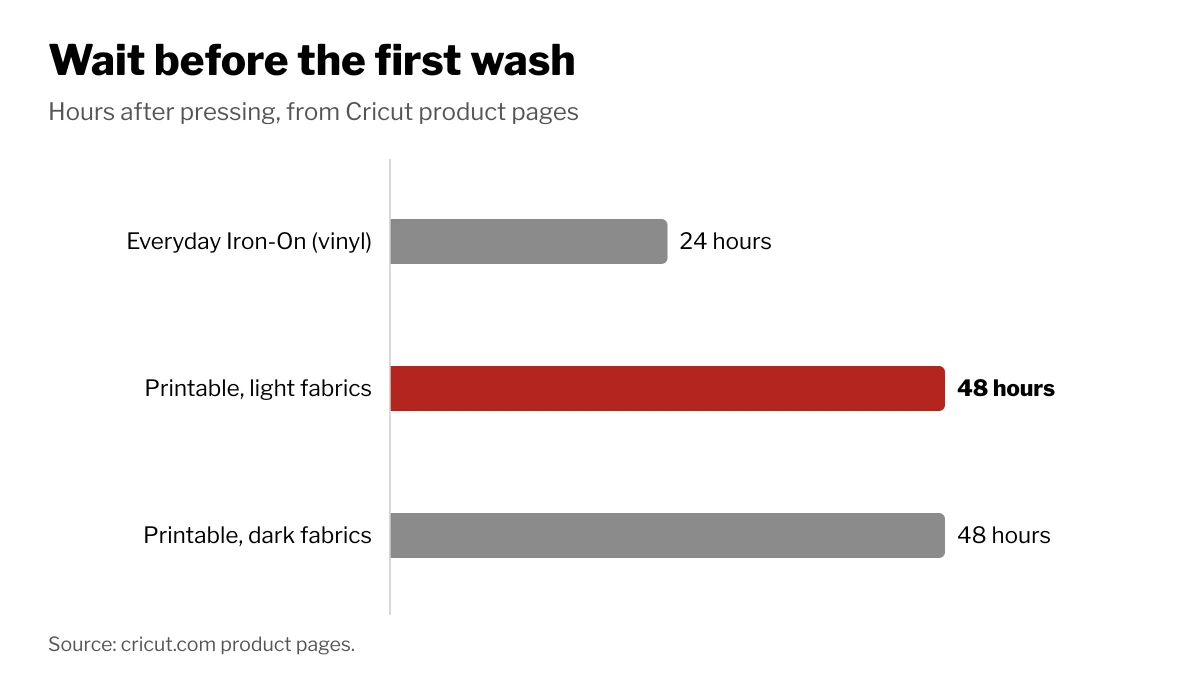
| Wait before washing (Cricut) | 24 hours | 48 hours |
Cricut's own iron-on range shows how wide the vinyl side has become: its iron-on section lists everyday, glitter, holographic, flocked, puff, glow in the dark, color changing and SportFlex (a stretch vinyl) materials, next to printable kits for light and dark fabrics. Cricut says its Everyday Iron-On outlasts more than 30 washes.
Light vs dark transfer paper
Cricut describes its light fabric paper as making bright transfers on any light fabric, and its dark fabric paper as made for dark fabrics. Pick by the color of the garment, not the design: use the light version on white and pale shirts and the dark version on dark ones. The two papers can differ in whether the print is mirrored before pressing, so follow the sheet's own instructions.
Both versions need an inkjet printer, and Cricut says to apply them only to fabric that has been washed and fully dried first.
What temperature for iron on transfers
There is no single temperature. The right heat, time and pressure depend on three things: the transfer material, the base fabric and the press or iron you use. Cricut publishes a free heat guide that asks for exactly those three inputs and returns the settings. Other brands print the settings on the package or on the product page.
Whatever the brand, start with a garment that has been washed and dried, follow the stated time as well as the heat, and peel the carrier or liner at the point the instructions give.
Caring for the finished piece
Cricut's care steps are similar across its iron-on materials: wait before the first wash (24 hours for its vinyl, 48 hours for its printable paper), wash inside out, skip bleach, and if the garment needs ironing, iron only the back, never the design. Its printable papers add cold water and hang drying.
Shopping on Wiki Shopping
Iron-on transfers sit in the arts, crafts and sewing department. Check whether a listing is vinyl or printable paper, and whether paper is for light or dark fabric, before you buy.